.png)
Income & Payouts (Overview)
Let’s talk money. Here’s how you track it all on Reader Meter.
Steps:
Open the Income tab.
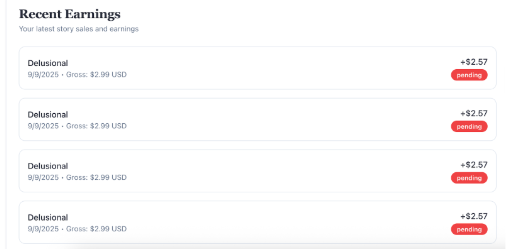
Review your earnings story by story.
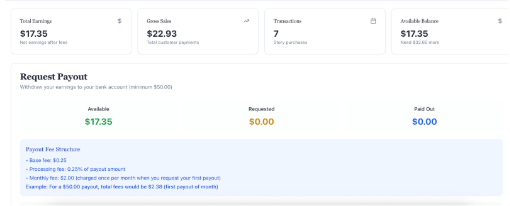
See exactly what fees (processing, tax, payout) are applied to each transaction.
Once your balance hits $50, request a payout.
Track payout history and status at any time.